

 en
en  zh-hans
 ko
koThe most FAQ(frequently asked questions) from
the company during ODM.

Q1. What are the advantages and distinctions of Aramhuvis
from other companies?
The biggest advantage of Aramhuvis is its imaging quality. Singers should sing well, actors should act well, and professional imaging technology companies (companies that make people beautiful with human vision systems) should have high imaging quality. Second, it’s accumulated big data. It’s already over a million, and closely to be two million, it’s going to be more sophisticated and more precise.
A state of data collection with different figure from each country
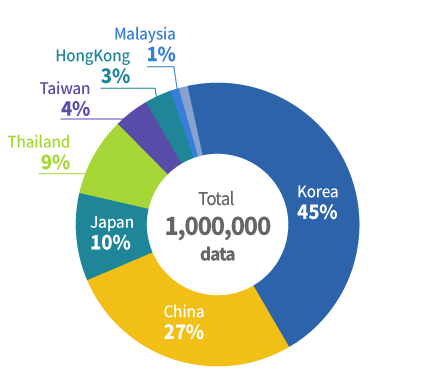
Asia data quantity from the
countries are as below.
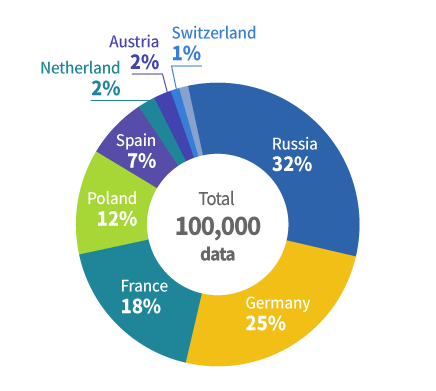
Europe data quantity from the
countries are as below.
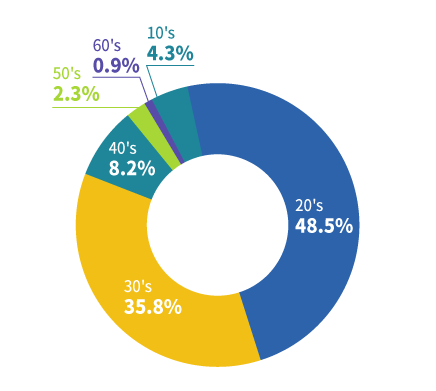
Asia
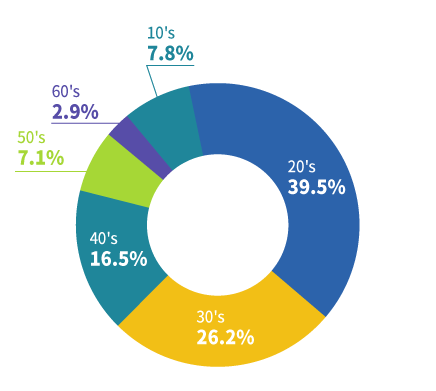
Europe
Third, it’s accuracy and reproducibility. Aramhuvis's accuracy and reproducibility were certified by the specialized medical staffs at Seoul National University Hospital in Bundang by consulting, examination and clinical trials. And it's known as a successful case of collaboration between hospitals and businesses.



Q2. What are the measurement methods and algorithms
for each diagnostic category in Aramhuvis?
The diagnosis of each category of the skin, scalp & hair is as follows.
Skin Analysis
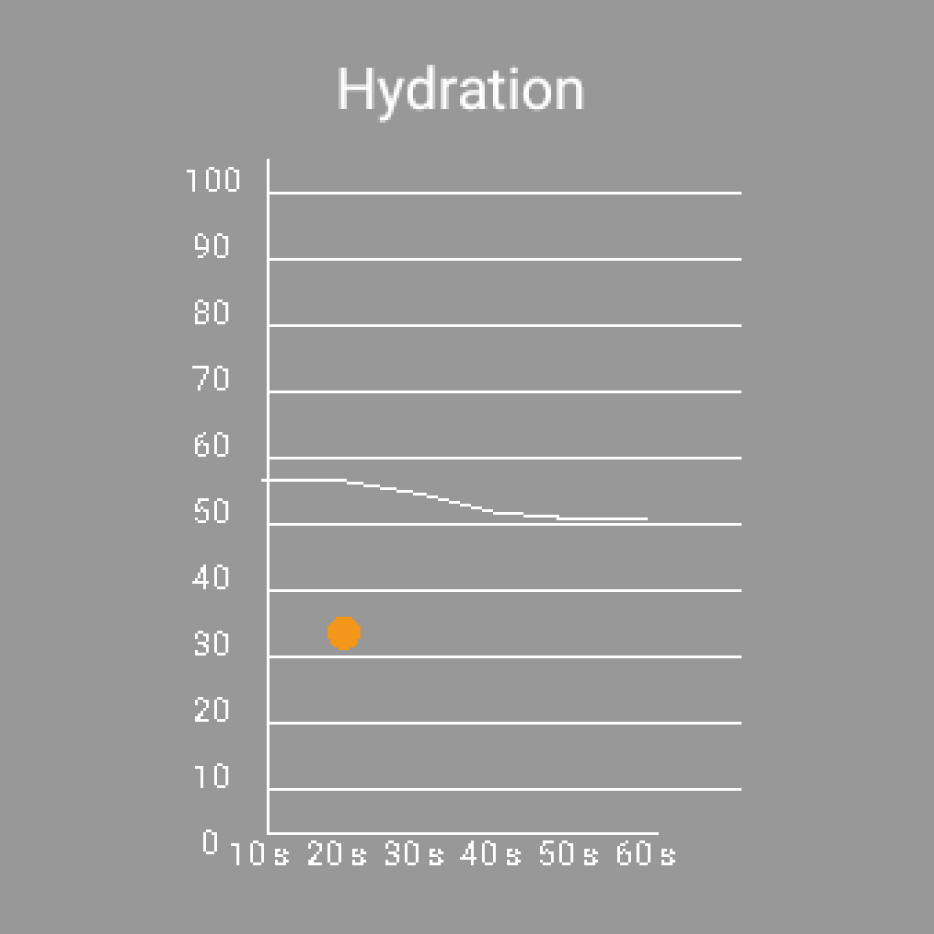
Moisture
Skin moisture, Capacitance Genetic Rate Sensor (Generation, Contensor Method)
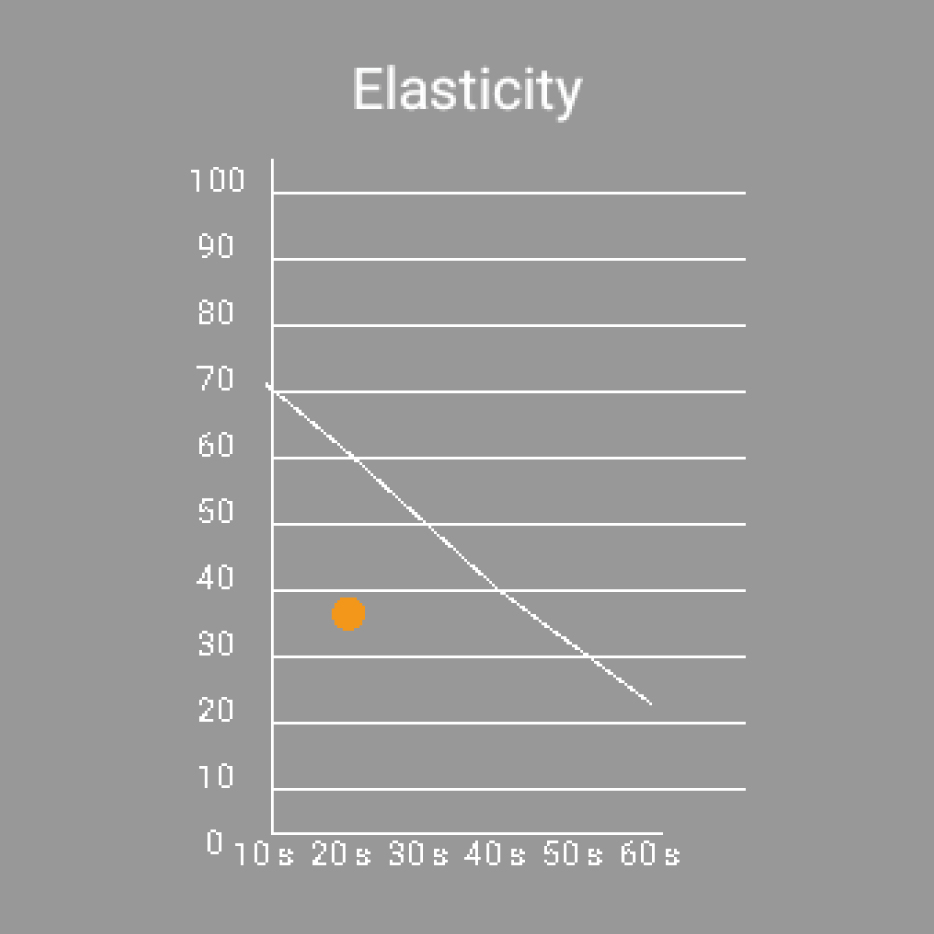
Elasticity
Skin elasticity, a method of measuring moisture and age graph by making formula
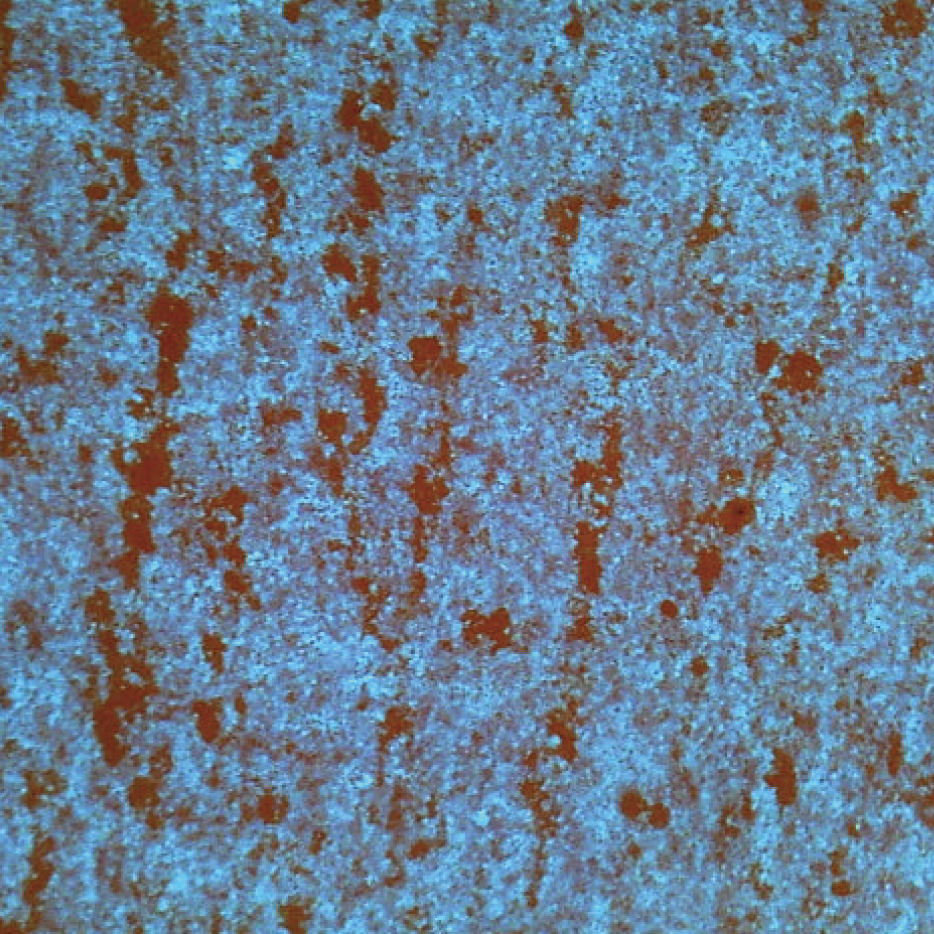
Sebum
Skin surface sebum, using Aram sebum paper to collect the area of sebum
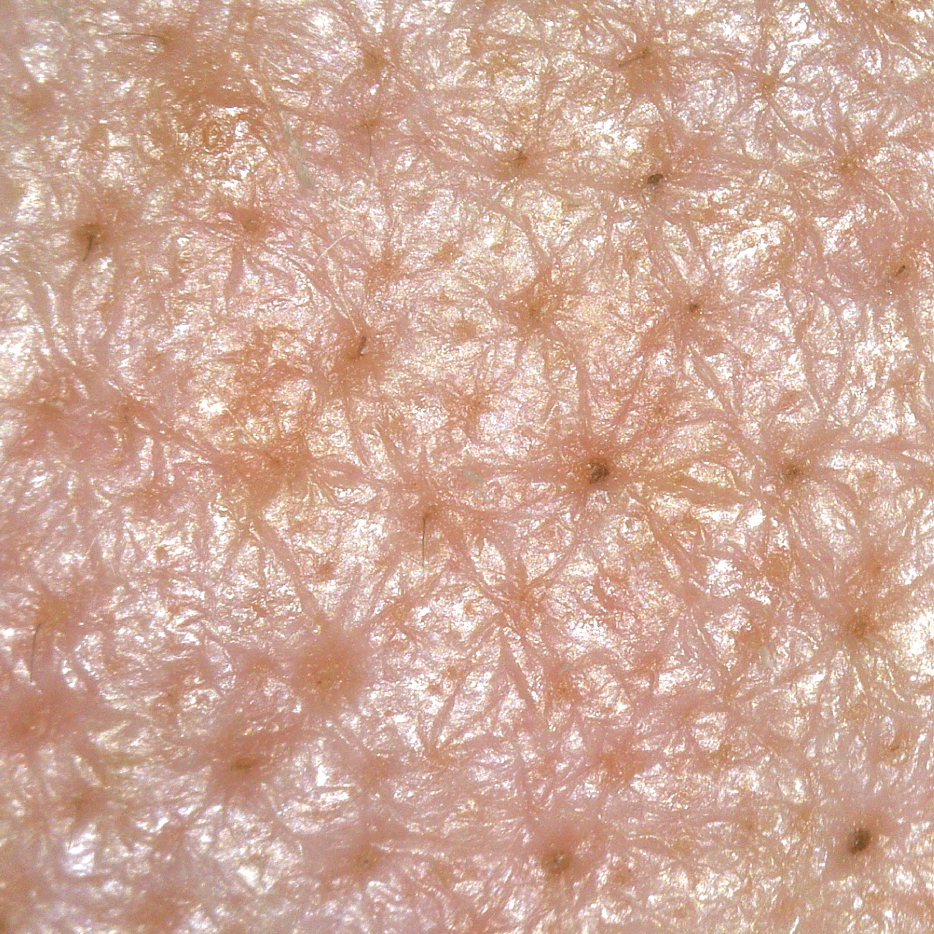
Pore
Measure the size and number of the pores
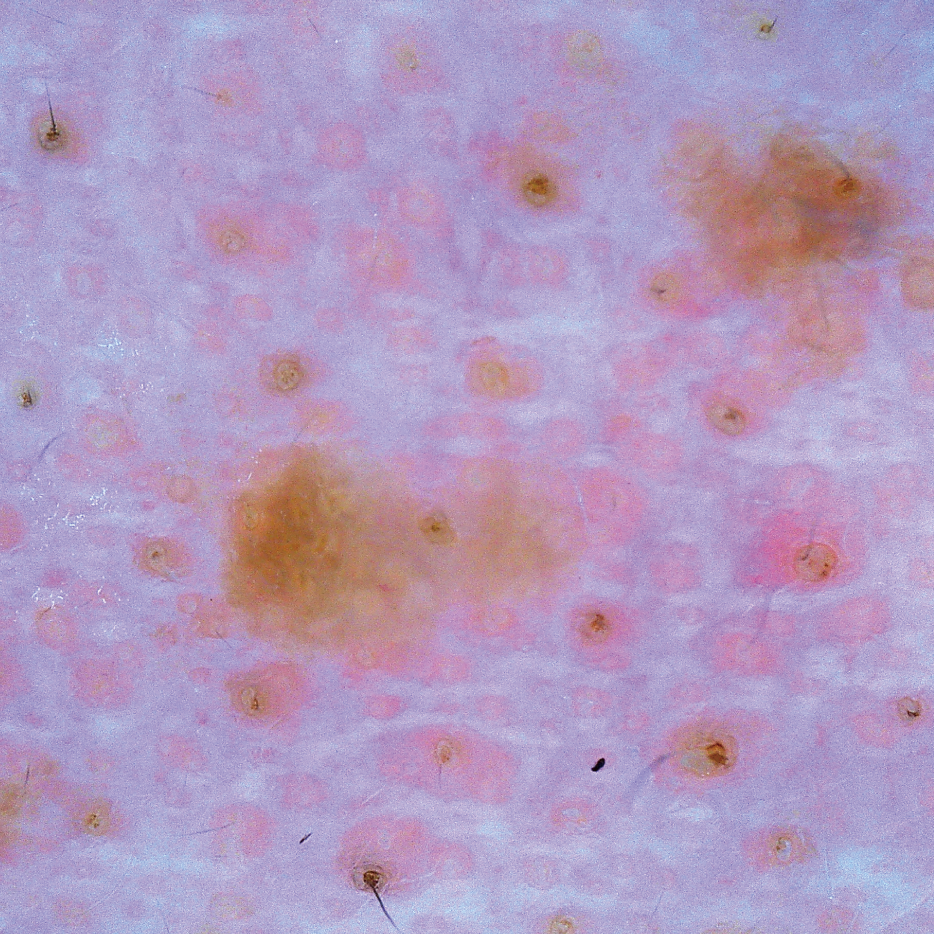
Melanin
Measurement of the darkness and width of Malanine
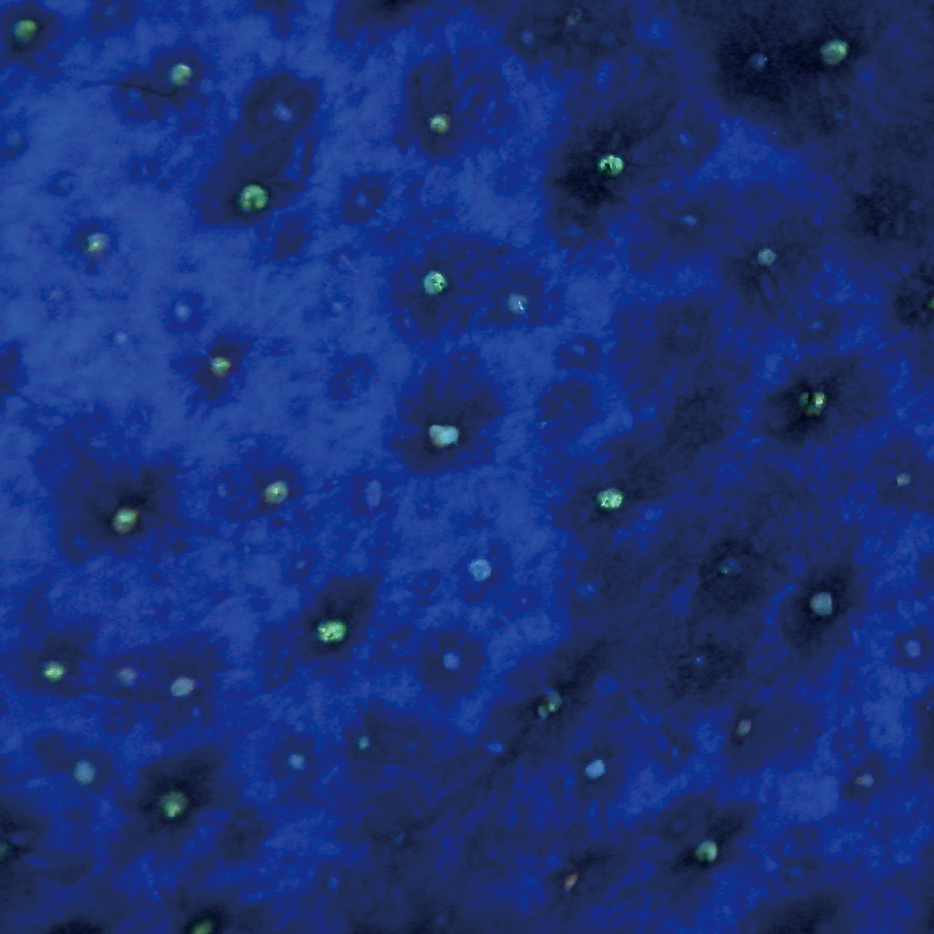
Clearness of Pore
Measurement of sebum and white & black head in pores
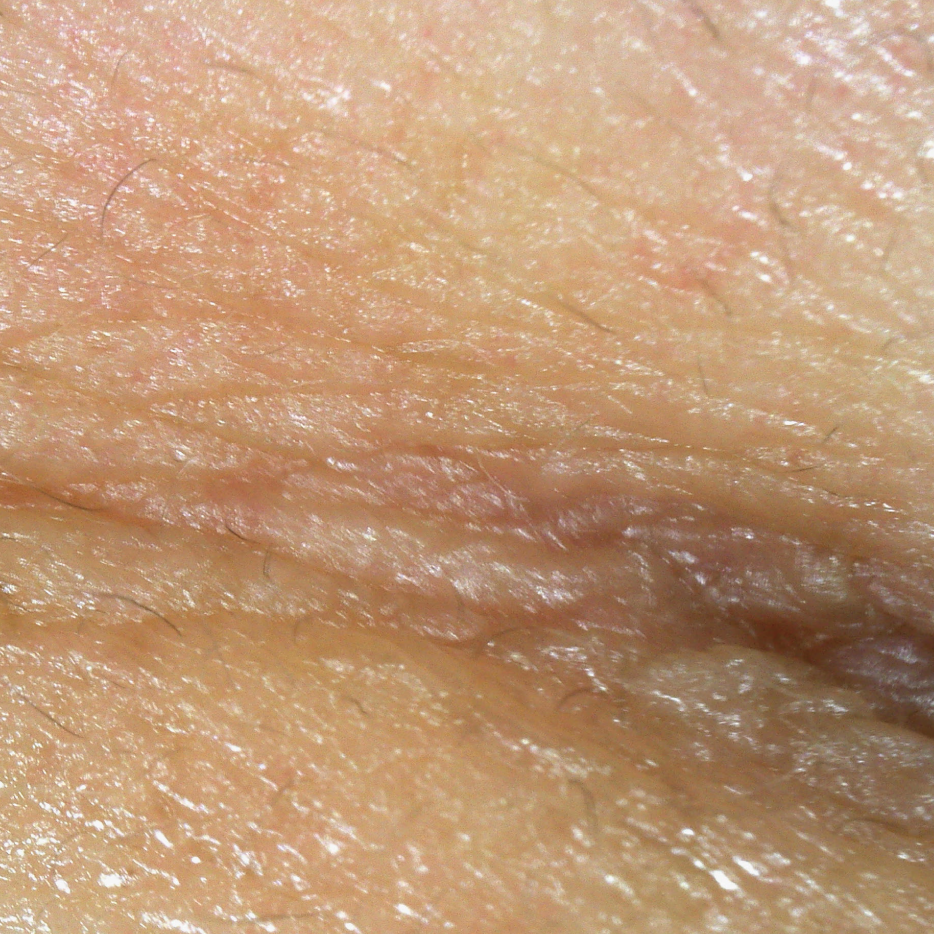
Wrinkle
Measurement of the depth and length of wrinkles
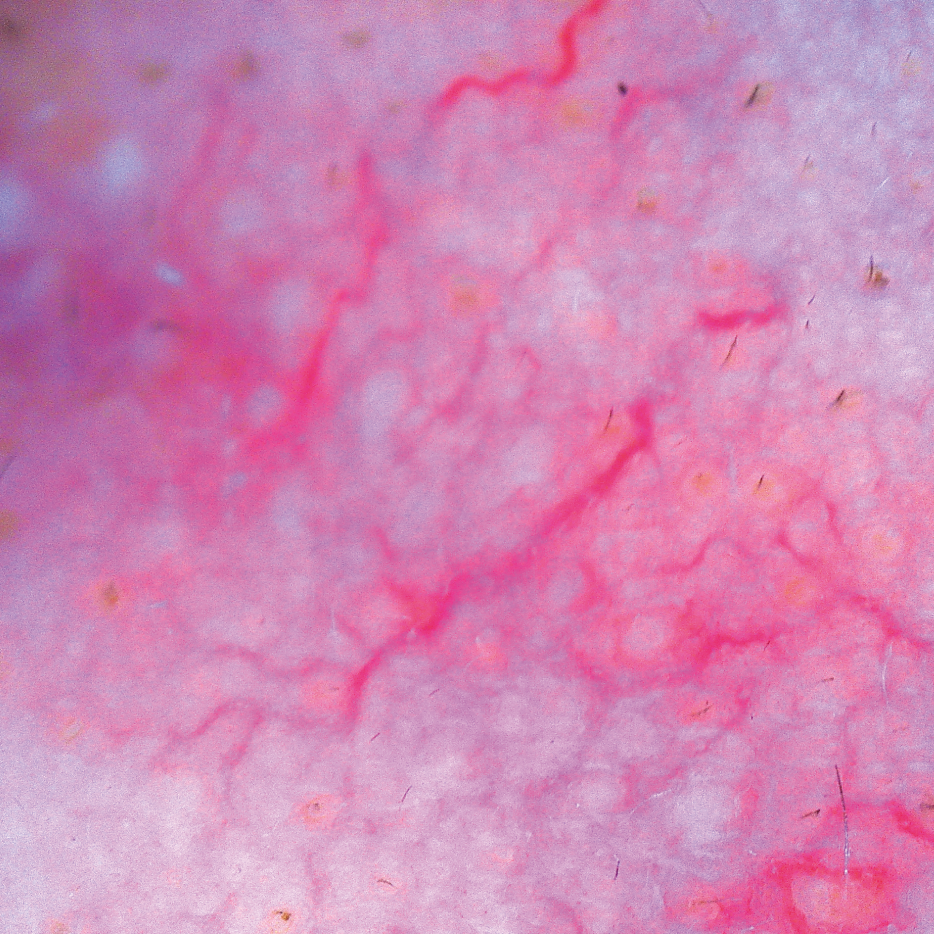
Sensitivity
Measurement of redness of skin
Scalp, Hair Analysis

Hair loss
Measurement of hair loss type
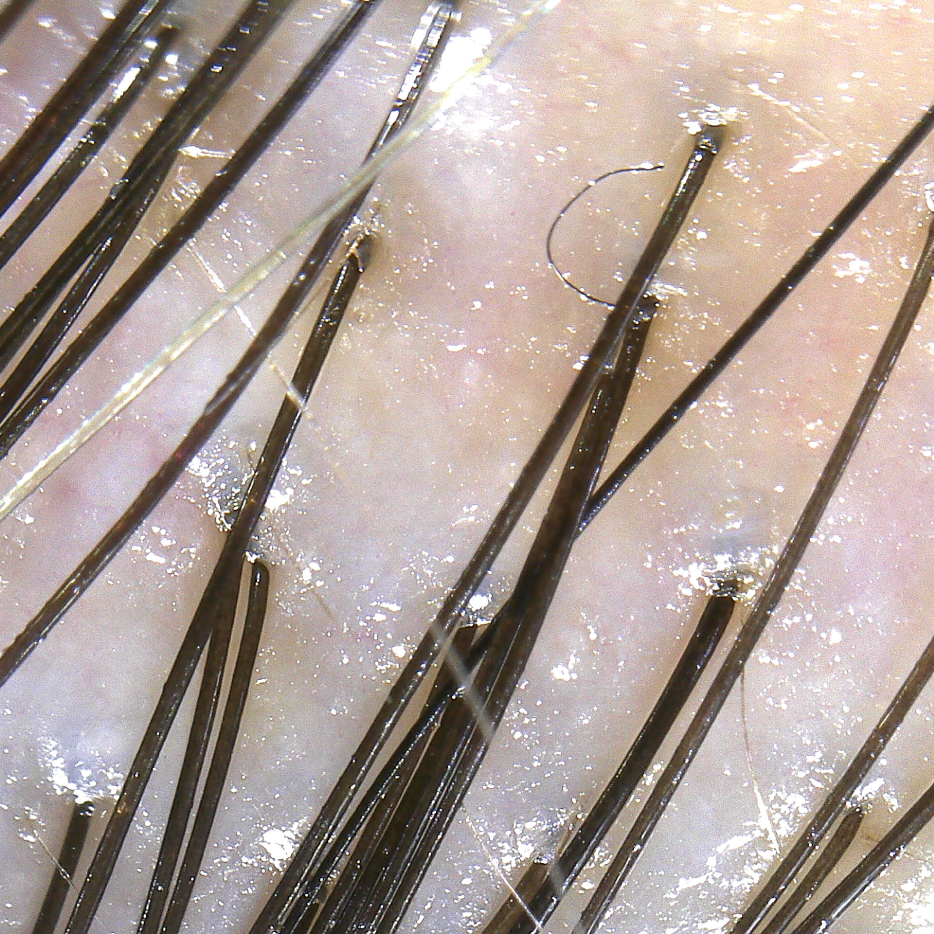
Scalp status
Condition of the scalp, if it is dry, oily or inflamed, etc.
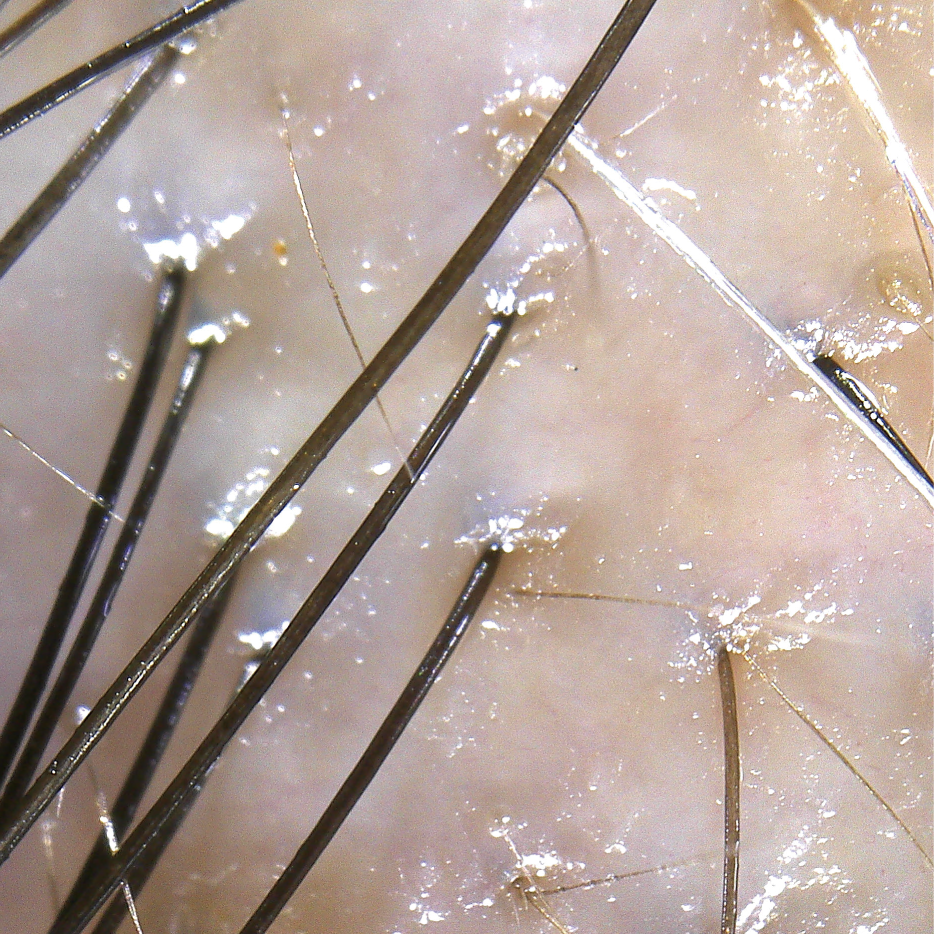
Hair density
Measure the density of hair within 1cm2 by counting the number of hair in 4mm x 5mm and multiplying it automatically by 5 times
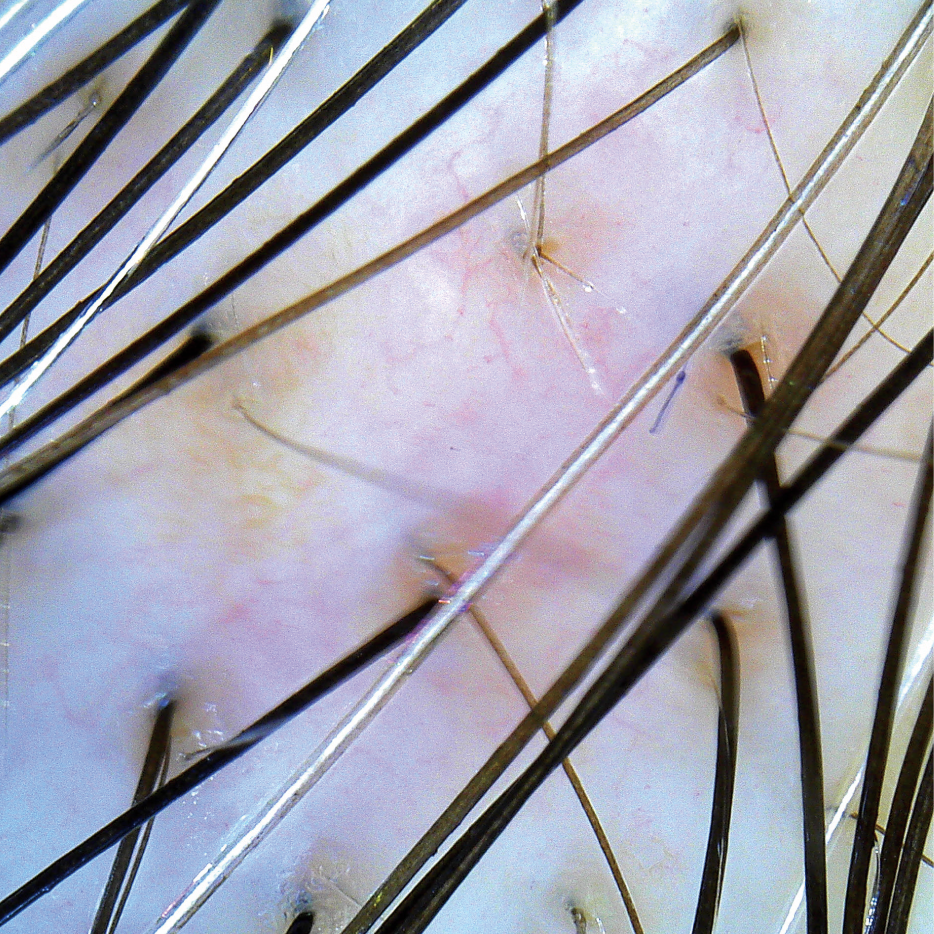
Keratin of Scalp
Measure the degree of dead skin in the scalp

Sensitivity
Measure the sensitivity of the scalp
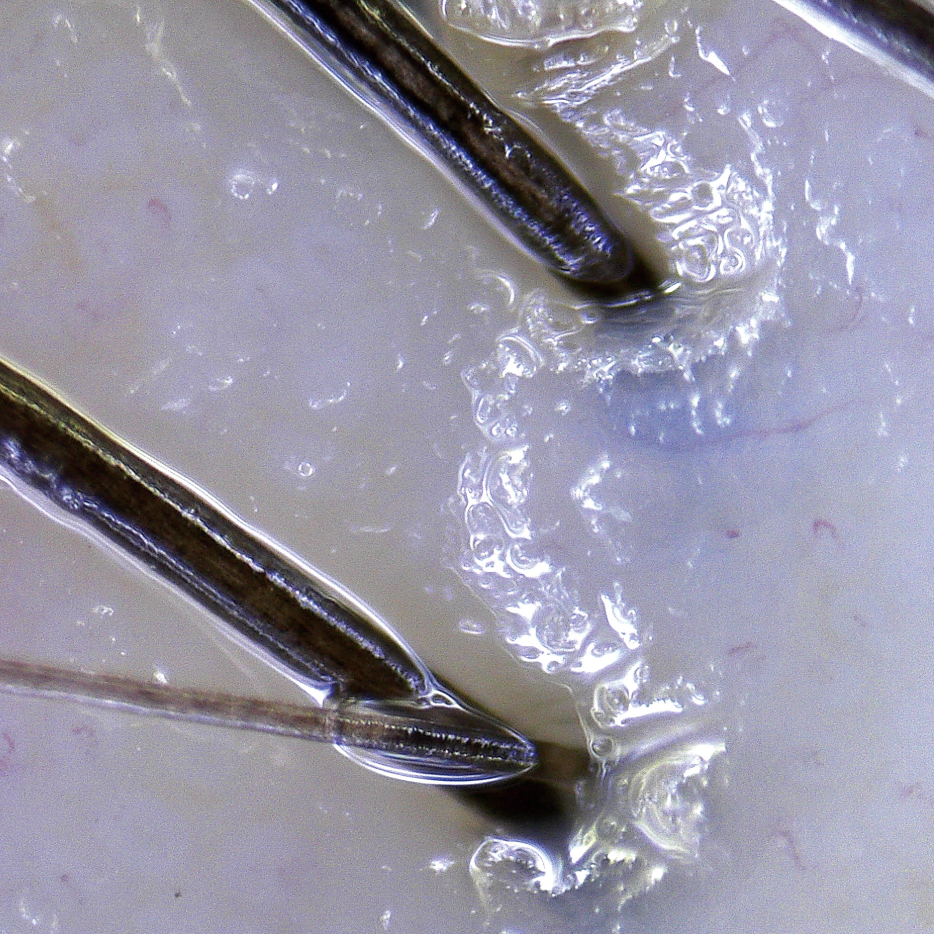
Hair Thickness
Measure the thickness of the hair (differentiate between good and bad by 0.075mm)

Hair Pore Status
Measure the condition of pores (if it’s dry, oily, inflamed, etc.)
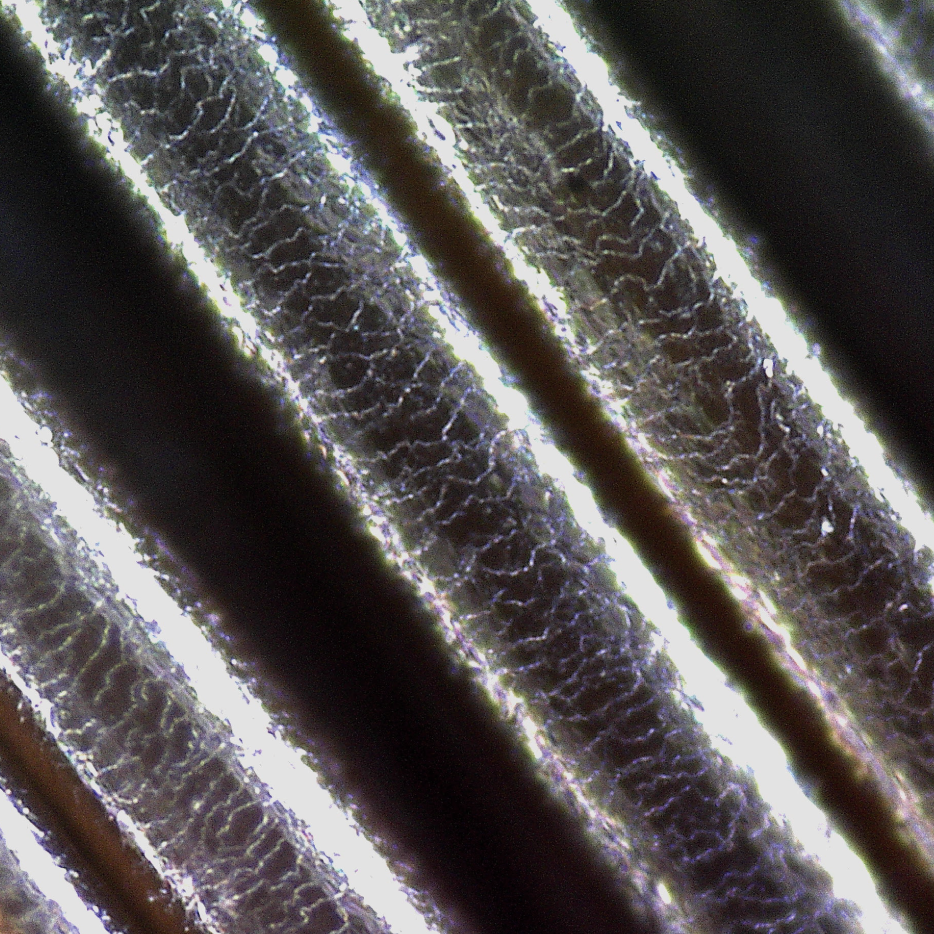
Cuticle Status
Measurement of hair damage (whether the cuticles of the hair are close at regular intervals, are irregularly wide or cracked, etc.)
If you want to know more about the exact formulas or algorithms, please contact your local representative by email.

Q3. If is possible to make ODM hardware or software?
All parts of ODM are available and we have extensive collaboration with over 50 partners (global groups and brands).
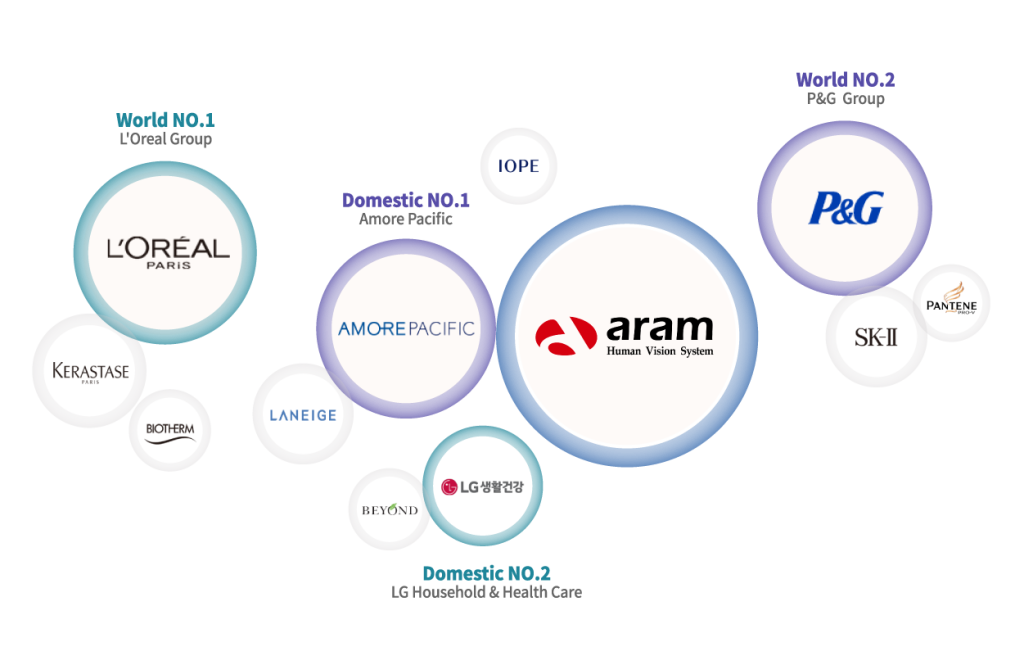
Please contact your local representative by e-mail.
Q4. What countries are being sold, and are there authorized dealerships?
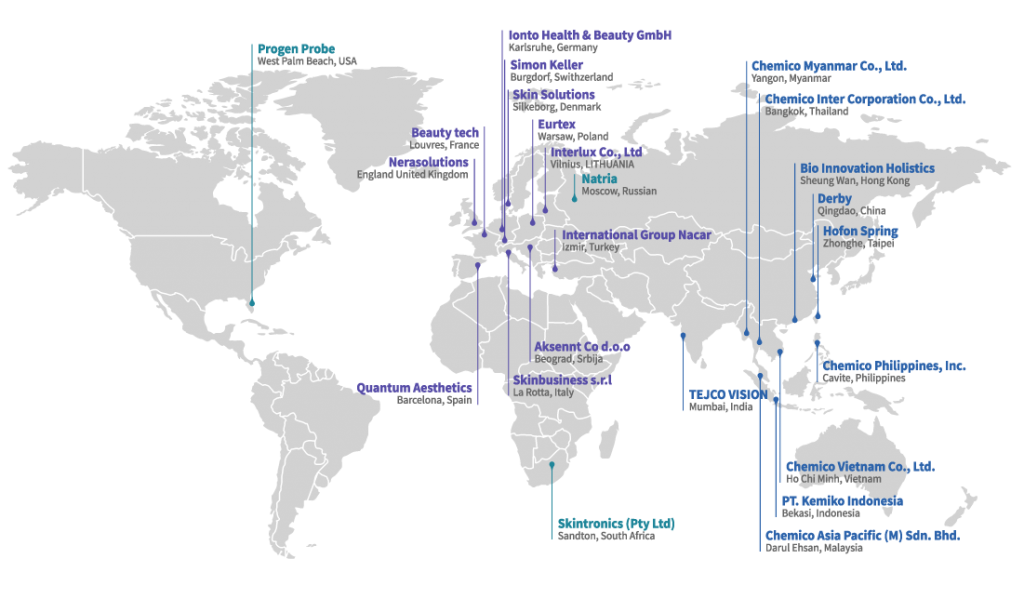
Our products are currently sold in more than 70 countries around the world,
and you can find information about all dealerships on the website.
and you can find information about all dealerships on the website.
Q5. IOS 13ver. New version Manual
Process order (New update)
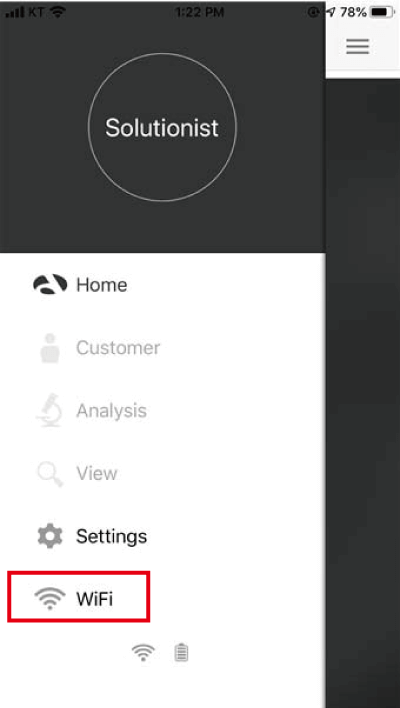
1. On main page, there is wifi button added.
2. Click this icon once open the APP
2. Click this icon once open the APP

Input ID/PW once you see pop-up box.
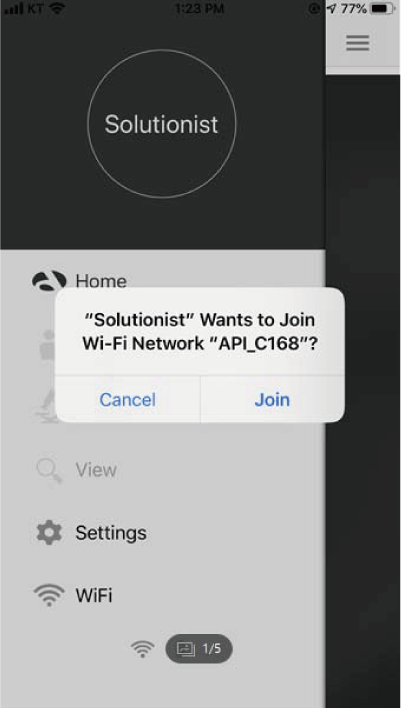
Once input information, you will
see another pop-up box asking for
a connection. -> Click “Join”.
see another pop-up box asking for
a connection. -> Click “Join”.

While connecting, you will see an
alert message “Please check the
network connection”. Click “OK”.
alert message “Please check the
network connection”. Click “OK”.
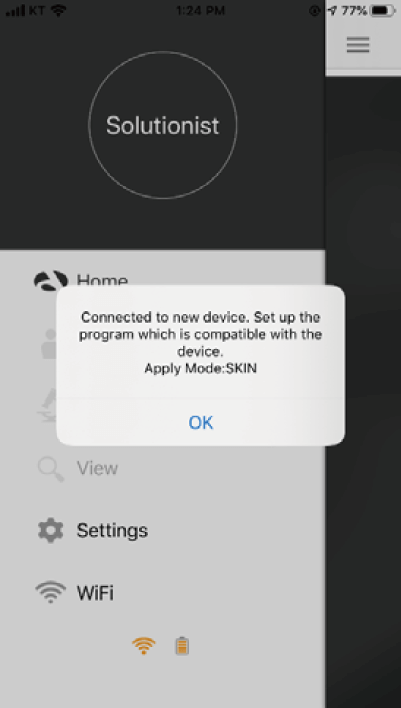
Once connected, you will see message
“Connected..Apply Mode:SKIN”, Click “OK”.
“Connected..Apply Mode:SKIN”, Click “OK”.

Once connected, you will see a main
page as usual, menu as usual.
page as usual, menu as usual.

In menu, you will see message
”The Wi-Fi…”, Click “Use Cellular
Data” to use internet connection
with device connected at the same
time.
”The Wi-Fi…”, Click “Use Cellular
Data” to use internet connection
with device connected at the same
time.
*Turn off the “Dark Mode” in Apple device setting if you can not see letters on menu*
**If you experience functional error while getting Wi-Fi connected, restart the device to be set properly.**
**If you experience functional error while getting Wi-Fi connected, restart the device to be set properly.**
Q6. Wi-Fi connection
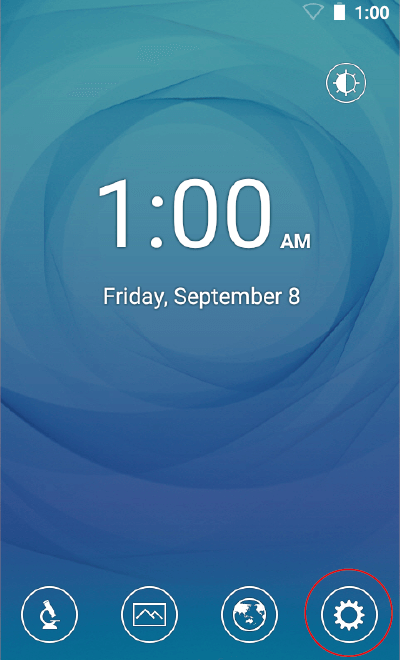
Touch button.
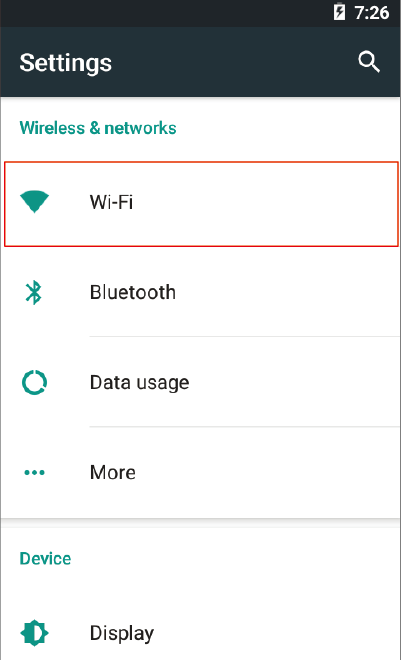
Touch “Wi-Fi”.

Turn on toggle switch.

Wi-Fi list will appear.

Among the lists, select the Wi-Fi connection you could use.
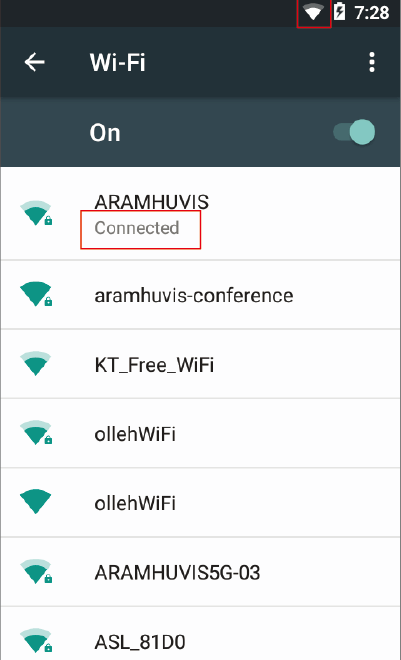
Wait until the device is connected to Wi-Fi.
Q7. Send Result - Email

Before sending Email, the device shall be connected to Wi-Fi.
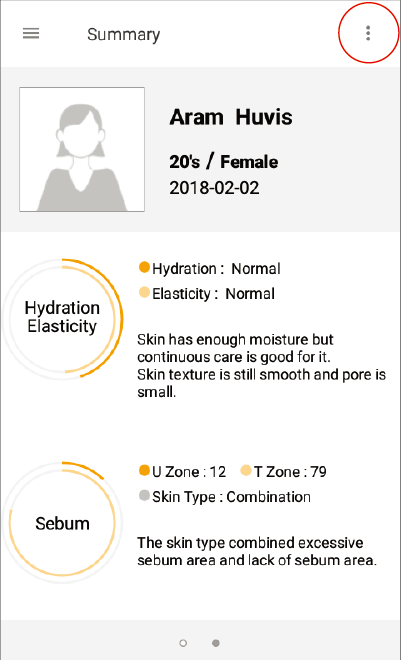
Touch button.

Go to "Send Email".
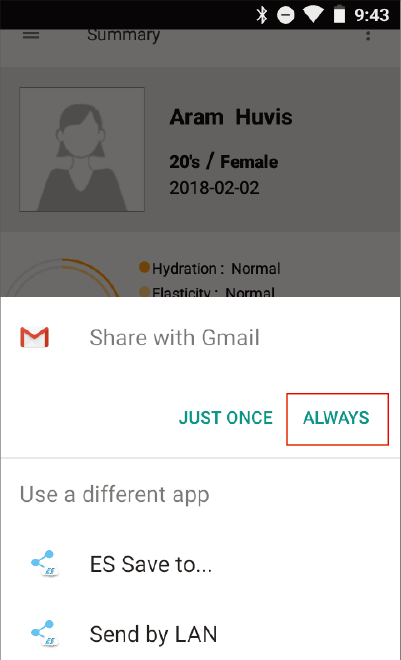
Select “Gmail” and ”always”.
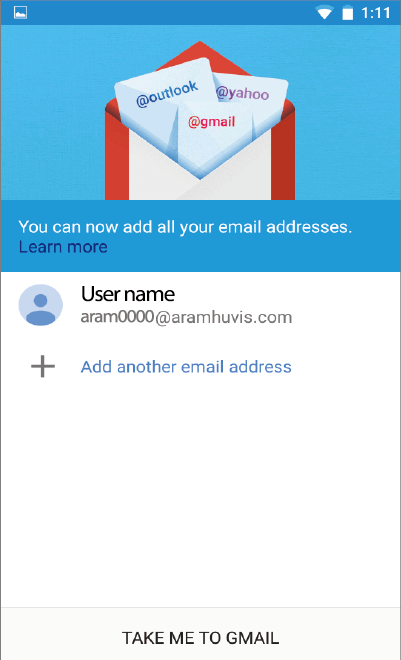
Select the mail account to register on the list.
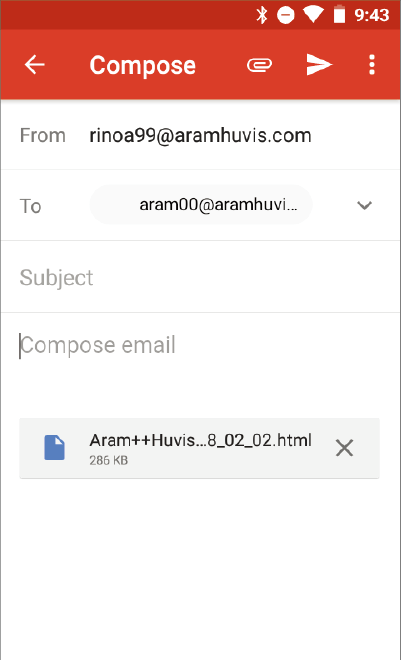
After selected sender`s mail address, put receiver`s mail address. Then touch ”Send” button.
Q8. DB EXPORT/ DB IMPORT (From PC)

“settings“ click

“DB Export“ Click
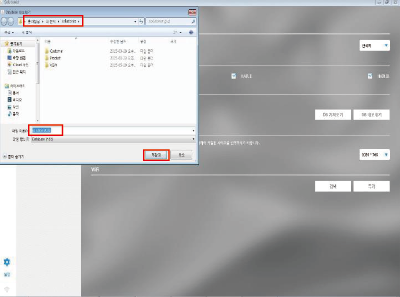
1.Check save file location/folder
2.Check the DB file name
3.Finish to click the save button
4.Find DB file in save folder
2.Check the DB file name
3.Finish to click the save button
4.Find DB file in save folder
“DB Import“ Click
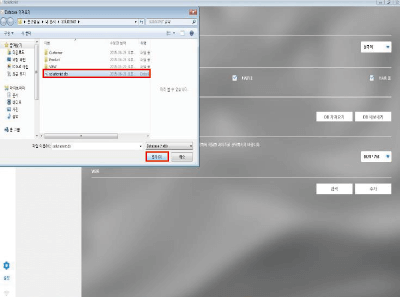
1.Find “solutionist”database
2.Click the “Open” button
3.Find a DB in “Customer” Menu
2.Click the “Open” button
3.Find a DB in “Customer” Menu
